
 SubnetSleuth · the inside view · day one
Know the network you just inherited.
When a deal closes, the network arrives with a spreadsheet that was last right two years ago and a diagram of how somebody meant it to be. SubnetSleuth reads the network's own devices, read-only and only inside the ranges you agree, and turns what it finds into an inventory, a cabling map and documentation the integration team can plan from.
Windows desktop app and command line · currently free for personal use, organisations by quote · your data stays on your computer
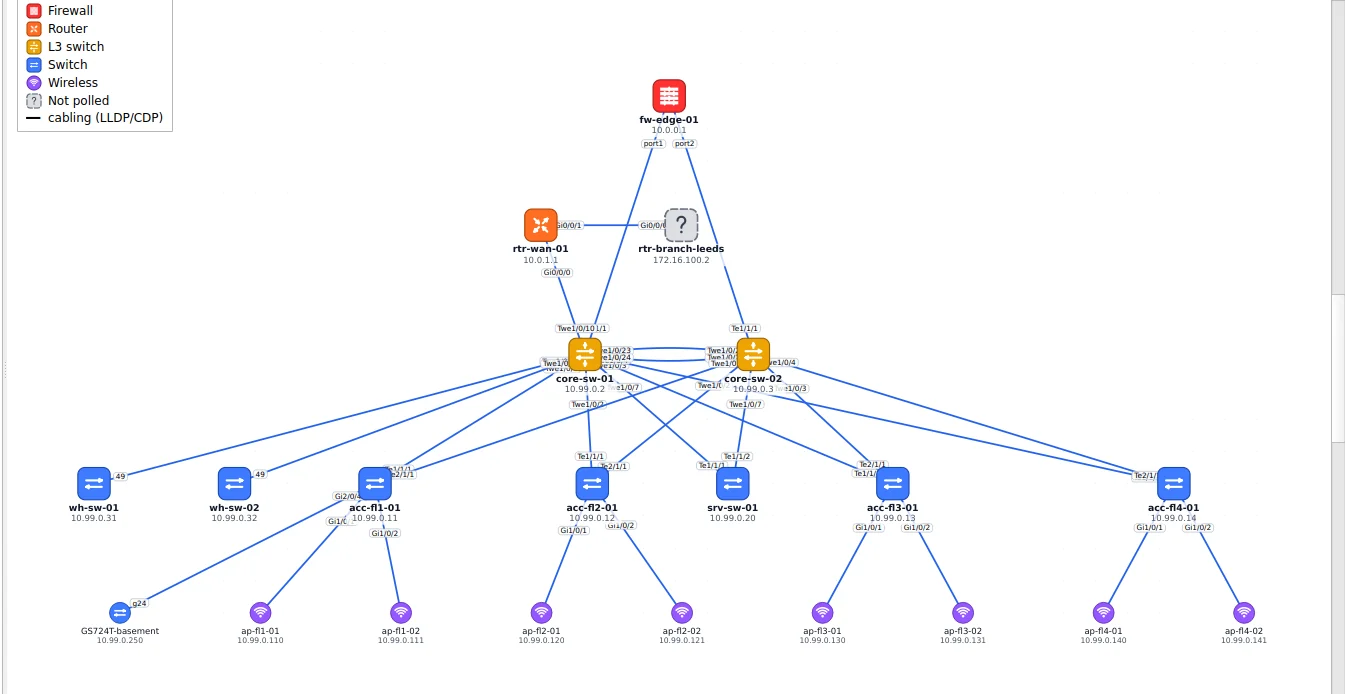
Integration plans need the real network
Cut-over dates, address overlaps, licence counts and the first risk register all depend on what is actually there, not on what the handover documents say.
Plan the cut-over from facts
Which devices, which links, which subnets and VLANs, which routes lead where. Trace the path between any two addresses before you move anything.
Find what nobody handed over
The switches missing from the asset list, the hosts on subnets nobody mentioned, and the devices that answer to a factory-default community string and need attention.
Hand it on
Export the inventory to Excel or CSV, the maps to draw.io, SVG or PDF, and an HTML report, so the team that runs the network next starts with documentation.
Stays inside what you agreed
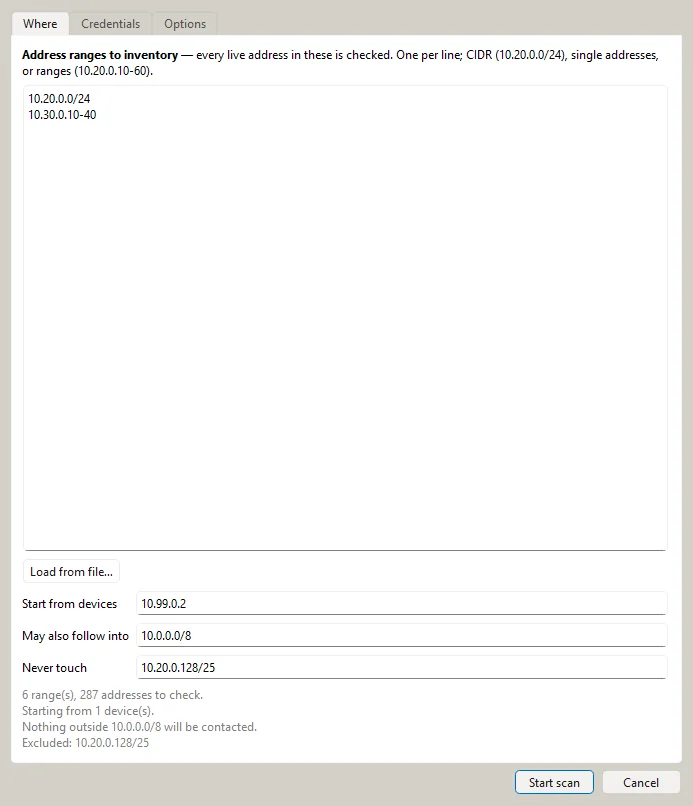
Paste the ranges you are responsible for the way they arrive, name a core switch to start from, and list the ranges that must never be sent anything, such as plant, medical or partner networks. Every step checks the same scope before it contacts an address.
- Read-only: SNMP GET and GETBULK, never SET
- Port scans only of addresses that answered
- The dialog says exactly what will be contacted before you start
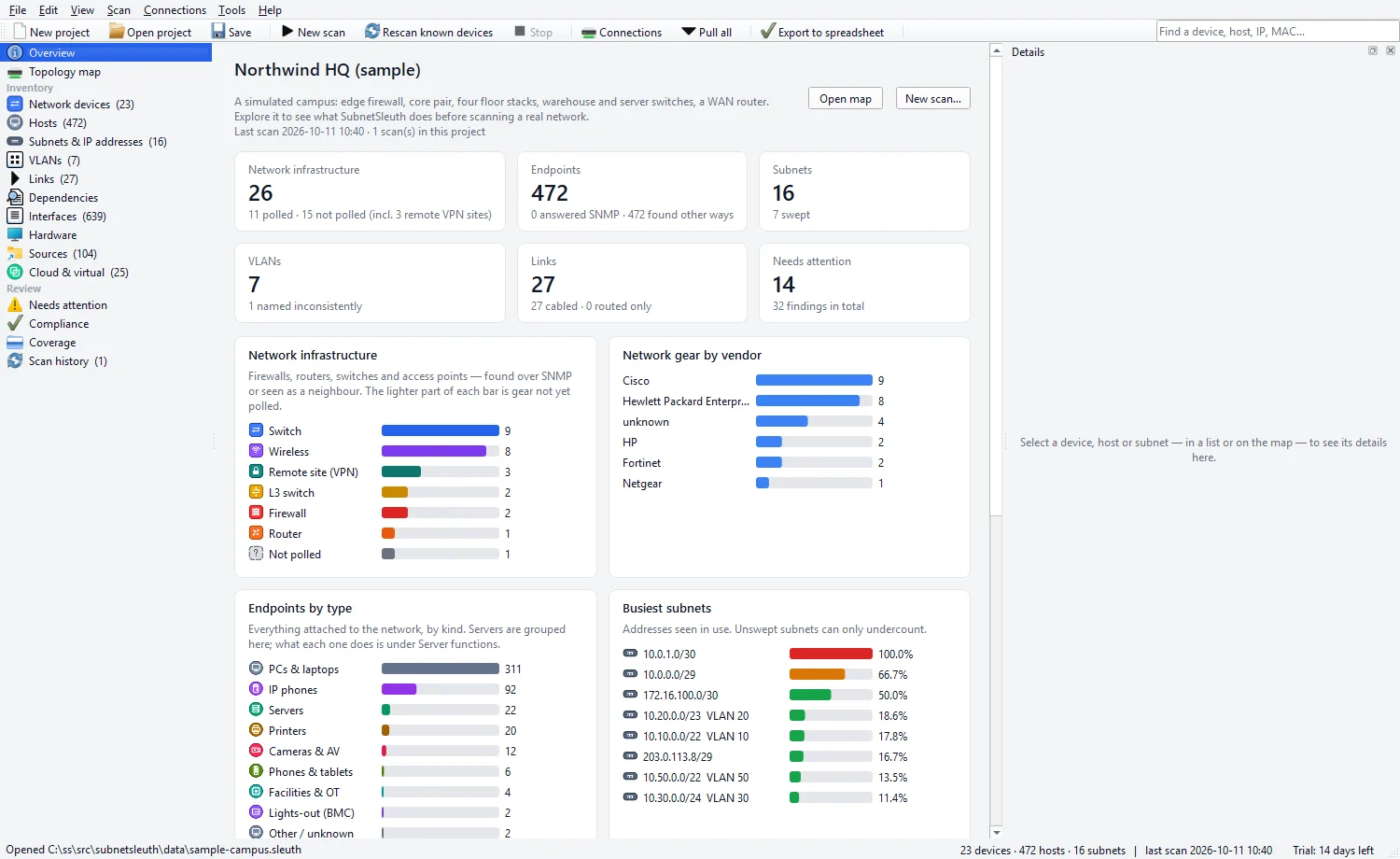
The first answer to "what have we got"
The network itself, firewalls, routers, switches and access points, kept apart from the endpoints attached to it, with the gear by vendor, the busiest subnets and what each server actually does. Each device has its model, serial number, software version, interfaces and neighbours.
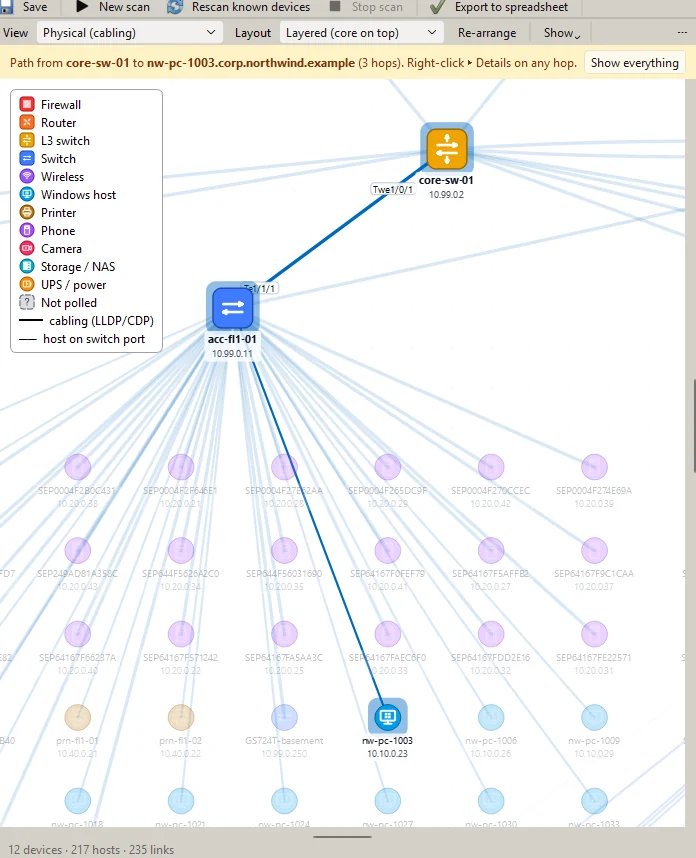
How it is really wired
The physical map comes from the devices' own neighbour tables, and where those are switched off, from their MAC address tables. The logical map shows subnets, gateways and the routers between them. Pick any address and SubnetSleuth traces the path to it, hop by hop.
What the systems already know
Firewalls, management platforms, Active Directory, hypervisors and clouds each hold part of the picture. SubnetSleuth reads them from one place that keeps every connection and credential, matches their records to what it found on the wire, and shows where each fact came from.

Where SubnetSleuth fits in due diligence and integration
SubnetSleuth does most of its work from day one, once the network and its read-only credentials are handed over. See every stage of a deal.
Due diligence
- Where the target grants read-only access before closing, inventory a site or a range to test its asset lists
- Agree the day-one scan scopes, the networks never to touch and the read-only credentials you will need
Integration
- Inventory and map the network on day one, inside the agreed ranges
- Check its subnets against your own addressing plan before the networks are joined
- Find the devices missing from the asset list
- Hand the inventory to HouseGRC and the documentation to the teams that run the network next
- Scan again after the cut-over so the documentation stays true
Take stock on day one
SubnetSleuth is currently free for personal use with a free licence key. Organisations can license it by quote.